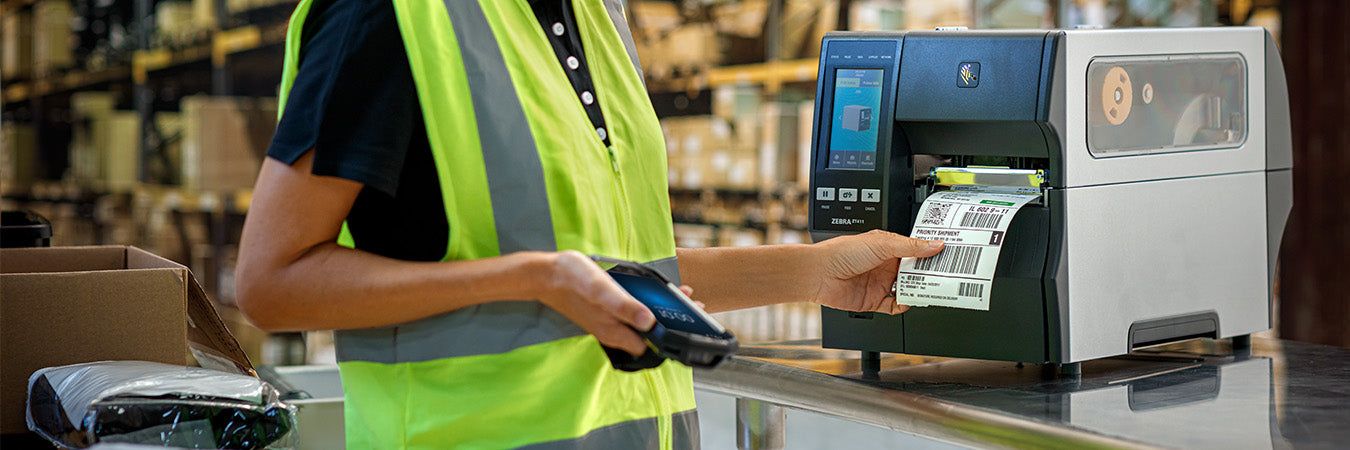
4 Questions to Ask Yourself Before Upgrading Your Enterprise Thermal Printer
Tue Nov 02, 2021
4 Questions to Ask Yourself Before Upgrading Your Enterprise Thermal Printer
Crisp legible labels are a lifeline to your operations as they preserve accurate product identification, visible compliance codes, and shipping instructions. Because labels depend directly on efficient printers to secure readable barcodes, printer upgrades cannot be done without thorough evaluation of possible consequences. An unsuitable barcode printer can contribute to…
Prolonged costly downtime due to broken printheads
Mis-shipments from smudged or faded labels
Shipping delays following jams and complex media loading
To prevent these issues from entering your workflows, we recommend assessing your printer options with the following questions:
Where will you use your printer? – Production floors and fulfillment centers are known for their stringent environments. From extreme temperatures to long work hours, printers must be rugged and easy to navigate in order to provide unbroken productivity. For example, industrial printers sporting all-metal designs can stop dust from the production floor from damaging the printhead, thus also eliminating repair costs and downtime.
Will your printing solution be easy to manage? - Managing several printers is stressful and leaves room for errors. Therefore, quality solutions should integrate seamless management software similar to Zebra’s PrintDNA applications for remote management and battery monitoring. Remote printer management expands operational visibility while also reducing labor efforts.
Does your new printer compromise security? Cybercriminals can now use several entry points to compromise data, including printers. That means data security must now encompass your printing workflows to encrypt files and block access for unauthorized users.
Is your printer adaptable to future changes? – Lastly, as supply chains continue to adapt to unprecedented challenges, it is imperative newer technologies remain flexible to sudden surges in demand, working around the clock to prevent delays that could hinder customer satisfaction.
Answer these questions with Zebra’s Enterprise Printers
Descending from a long line of purpose-built technologies, Zebra’s printers are optimized to minimize deployment and management hassles. Leveraging Link-OS’ intelligent interface, Zebra’s printers take label efficiency a step farther with:
Higher barcode resolution for more successful first-time scans
Future-forward adaptability that embraces SOTI and AirWatch management software
Optional RFID encoding capabilities
Mobile printing options to create labels from anywhere in your workflow
How to start your Zebra Upgrade
Once you have successfully chosen a viable printing solution, Genesis Technologies facilitates upgrades through the GO Zebra Trade-In Program. Swap out printers from any manufacturer before December 31st for one of Zebra’s next-generation printers and get cash rebates up to $650 per printer to minimize your modernization costs.
To find an enterprise printer that best meets your needs, contact Genesis Technologies and we can help you select what devices and supplies are right for your use.
STAY IN THE KNOW WITH genesisONE
Receive exclusive news, updates and more.
Recent articles
Before You Renew Your Printer Lease: What Independent Testing and Awards Reveal
Could Cloud Print Management Make Work Easier?
Does Your Zero Trust Strategy Include Print?
What Could Your Business Print If You Didn't Have to Wait?